Appearance
Time Sheet
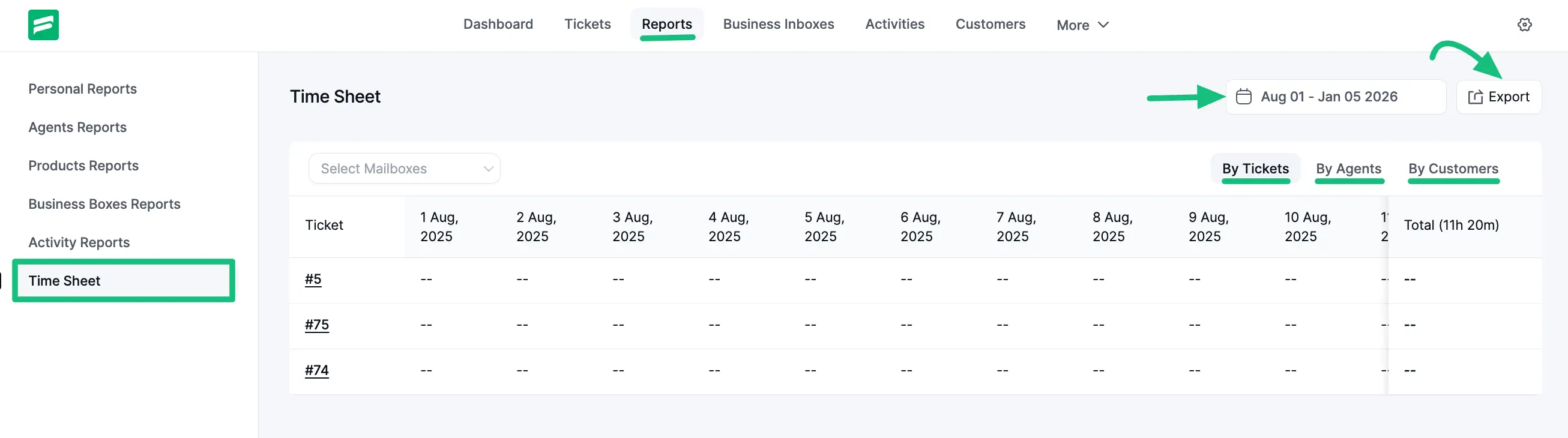
The ‘Time Sheet’ provides a concise summary of activity, useful for tracking agent hours or daily output over a specific period.
Accessing Time Sheet
To view your report, go to the Reports tab in the dashboard menu and select Time Sheet.
View Modes
You can organize the timesheet data in three ways using the available tabs:
- By Tickets: Organizes activity data based on individual support tickets.
- By Agents: This is the Default view, organizing data by individual support staff.
- By Customers: Organizes data based on customer interactions.
Agent Timesheet
The table displays a daily breakdown for each agent over the selected date range. It shows the total hours or activity units logged for each day (e.g., 12 Dec, 13 Dec) and calculates a Total at the end of the row.
Export
To use this data for payroll or external reporting, simply click the Export button in the top right corner to download the timesheet.