Appearance
Workflows & Automations
A Workflow/Automation is a sequence of tasks that can be done either Manually or Automatically using certain triggers and conditions so that you can avoid performing the same actions repeatedly. You can easily create a workflow in Fluent Support as it has its own workflow system. This article will guide you through the process required to create workflows in Fluent Support.
Create New Workflows
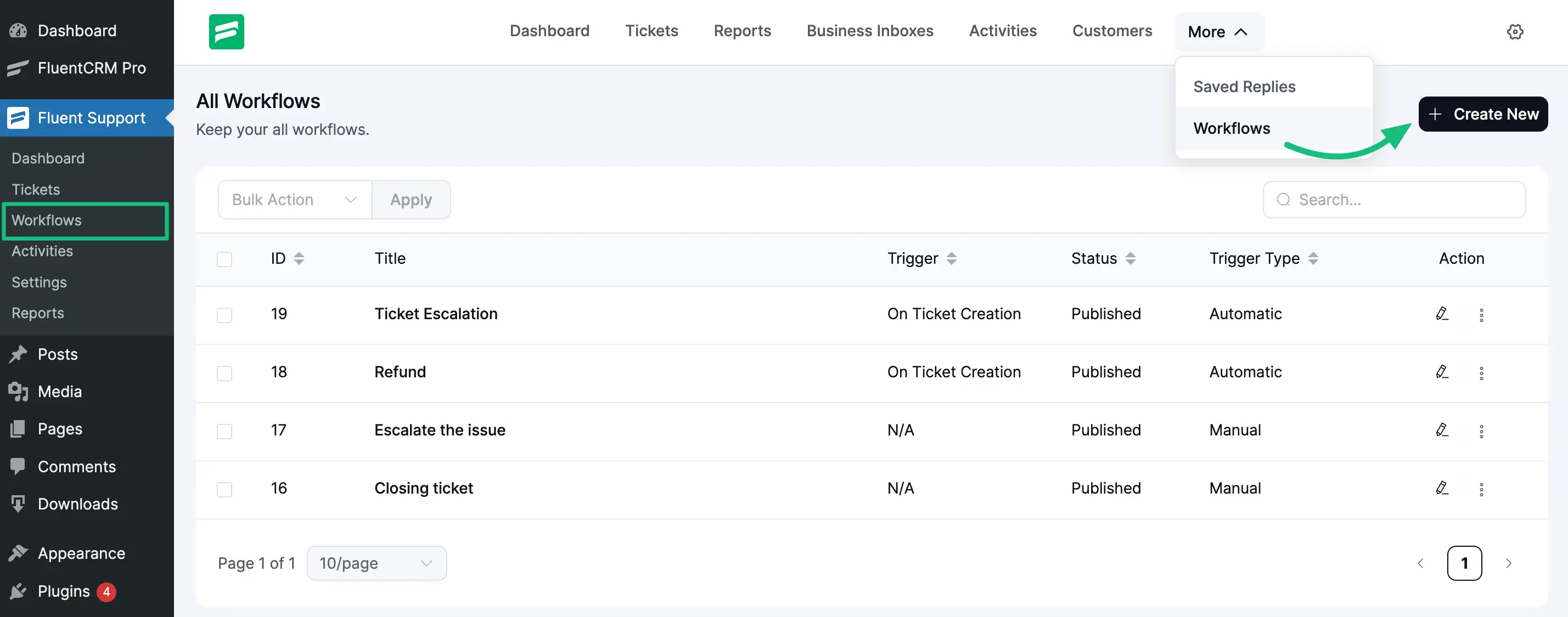
From the Fluent Support Dashboard, go to Workflows and click the + Create New button to create a new Workflow.
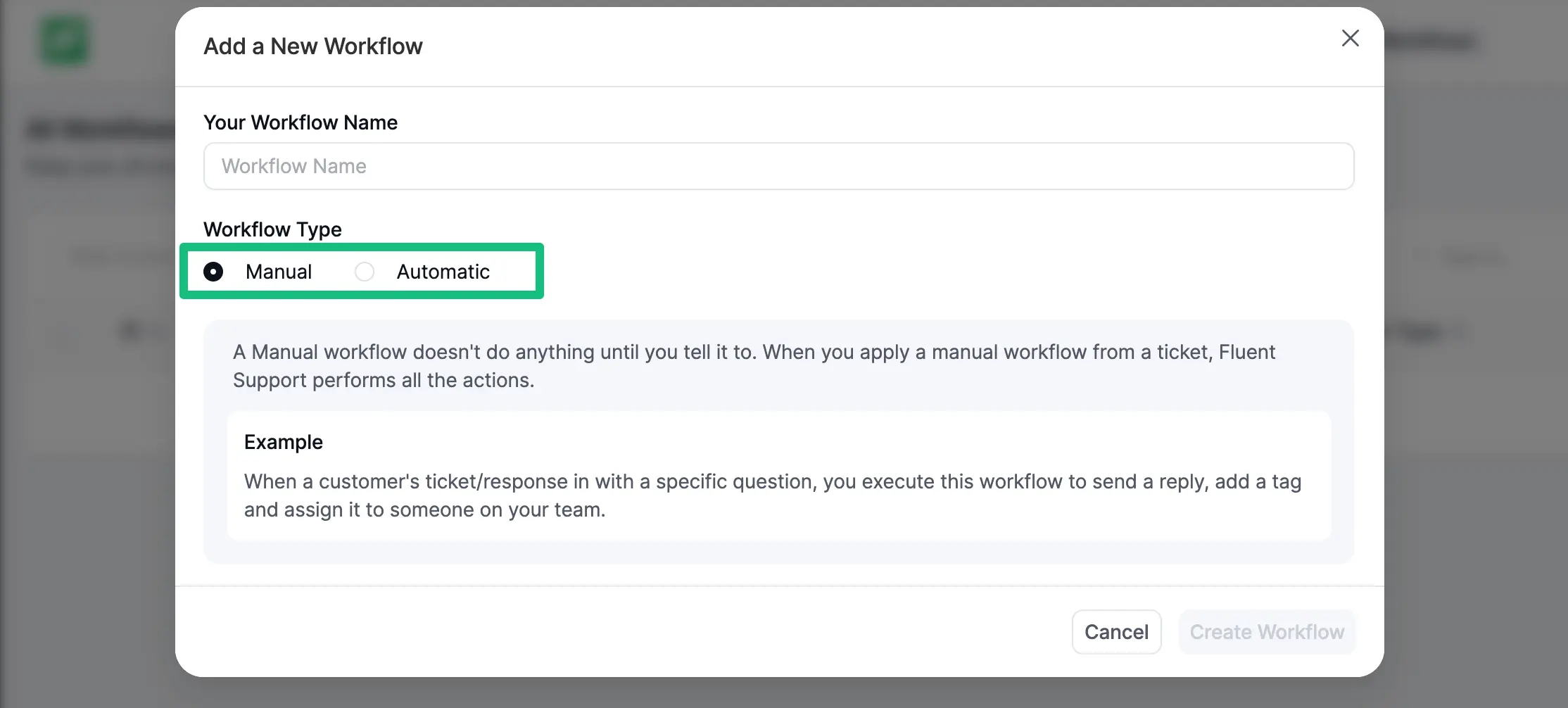
Now, a popup page will appear where you will get the options to choose the workflow type (Manual and Automatic) according to your needs.
NOTE
Manual Workflow : To learn the details of creating a manual workflow, read this full Documentation.
Automatic Workflow : To learn the details of creating an automatic workflow, read this full Documentation.
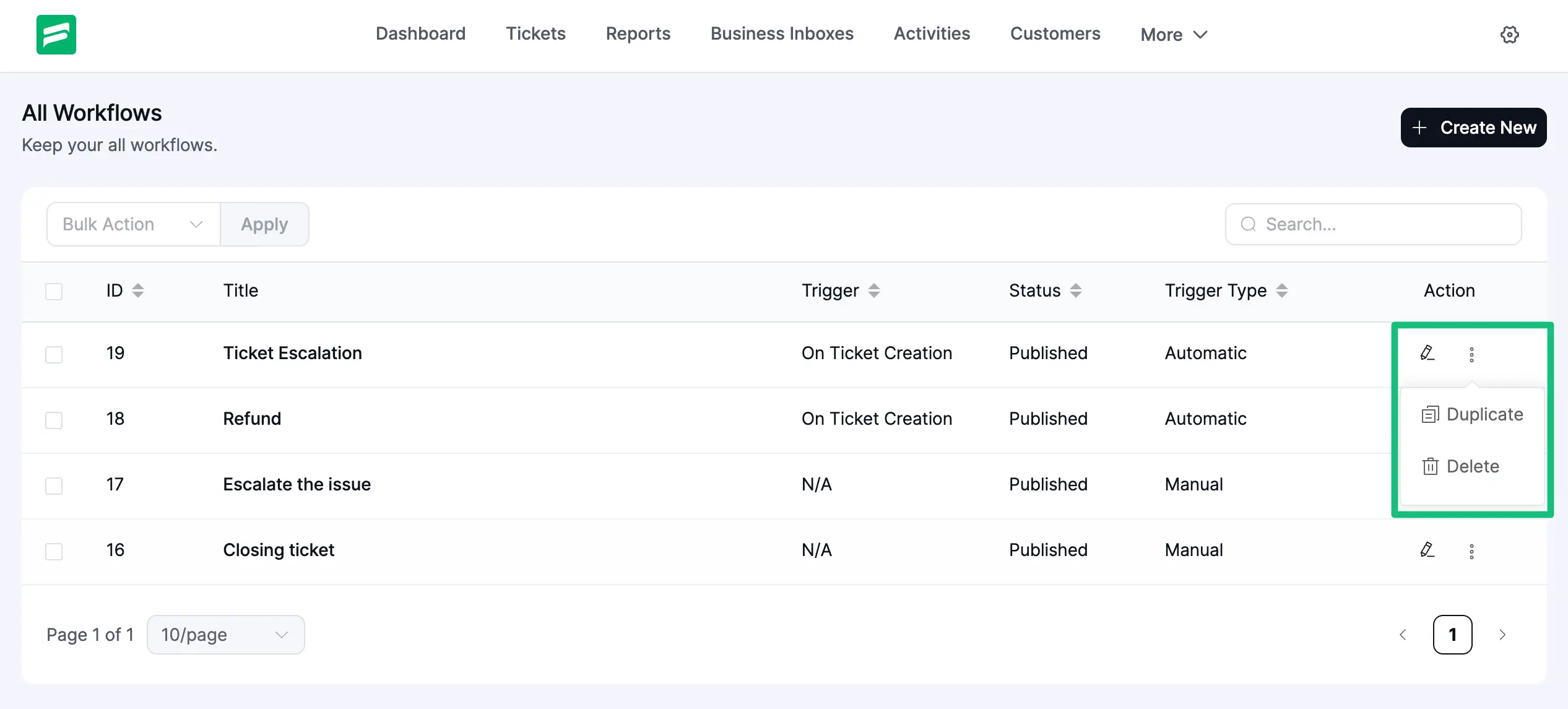
Here, you can see that four workflows are created. You can create as many workflows as you wish.
You can also Edit your existing workflow by clicking the Pencil Icon , Delete by clicking the Delete option, and Duplicate /Clone by clicking the Duplicate option.