

Appearance
Creating Products to Categorize Tickets
Fluent Support allows you to create multiple products for organizing your tickets and allows customers to select the relevant product when submitting their tickets. This article will help you through the process of creating products to categorize tickets.
Creating Products
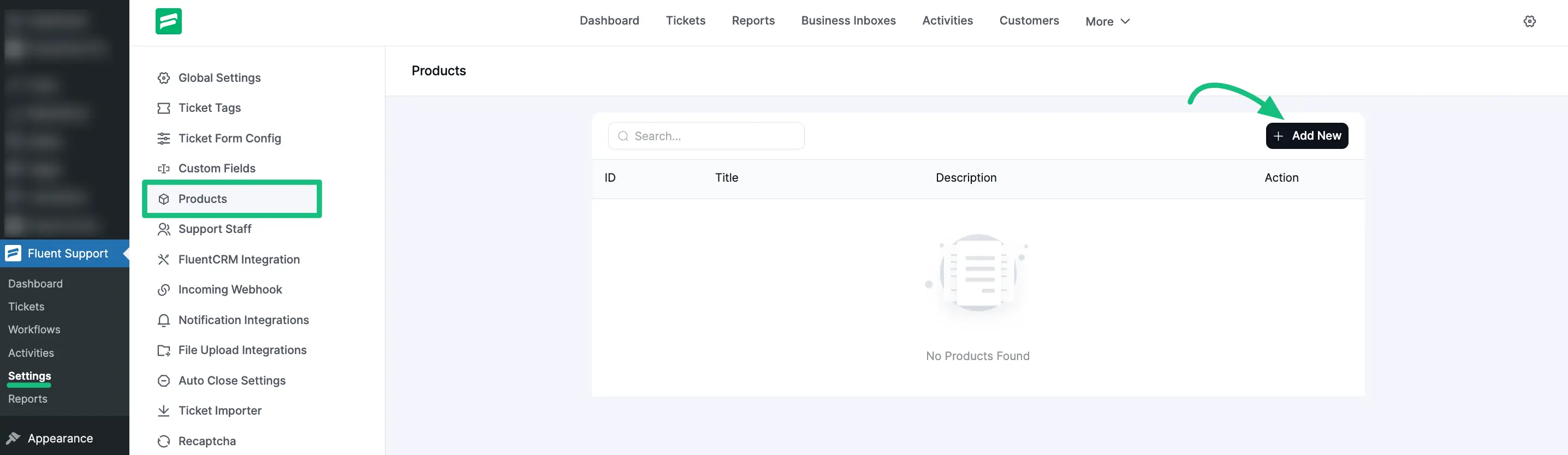
First, go to your Fluent Support Dashboard & click on Settings. Next, select Products section from the left sidebar and click on + Add New button to create a new product.
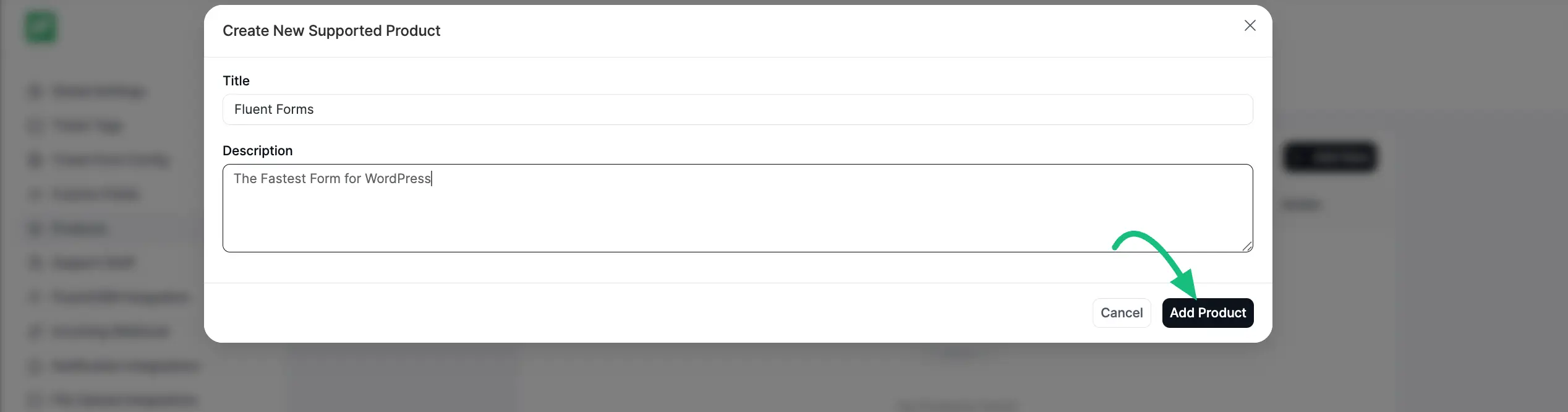
Here appears a new popup. Add a relevant Title & Description for the product, then click the Add Product button.
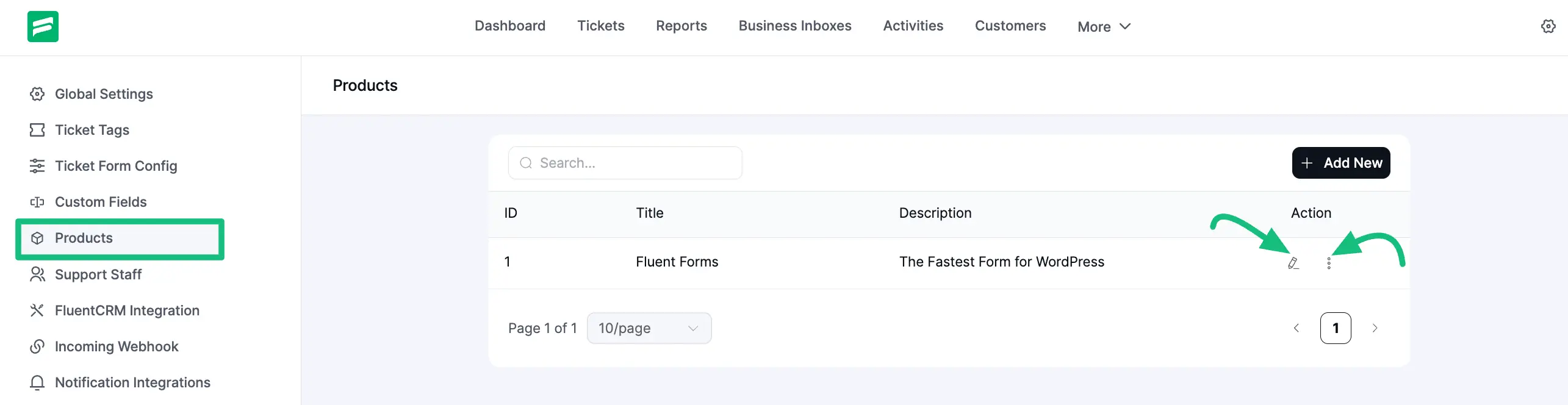
You will successfully add product. Now, you can Edit the product by clicking the Pencil icons placed on the right-hand side under the Actions column and delete the product by clicking the three-dots icon.
For instance, I edited the Product Title from Fluent Support to Fluent Support PRO. Similarly, you can Edit/Delete any of your existing products according to your needs.
This way, you can create as many Products as you want to categorize or organize your tickets!