

Appearance
Add More Attachment Types
When submitting/replying to any ticket, Fluent Support allows certain types of Attachments with some specific regulations such as Photos, CSV, PDF/Docs, Zip, and JSON. But, if you want you can add more Attachment Types if needed. This article will guide you through the process of Adding more Attachment Types.
Add More Attachment Types
To add a new file type to the accepted list, you will need to add a custom code snippet to your WordPress site.
You can add more attachment types using the fluent_support/mime_groups filter and the add_filter hook. For example, I added the HTML file type here by using the following Shortcode.
You can easily add this code to your site using a code snippet plugin.
We recommend using FluentSnippet for a safer and more organized approach. However, feel free to use any snippet plugin of your choice.
Steps to Add the Code Snippet:
- Open FluentSnippet and click on the Create Snippet button.
- Paste the following code into the code editor field.
- Once done, Publish the snippet to activate it.
php
// Add a new MIME group to Fluent Support
add_filter('fluent_support/mime_groups', function ($mimeTypes) {
    $mimeTypes['html'] = [
        'title' => __('HTML', 'fluent-support'),
        'mimes' => [
            'text/html',
        ],
    ];

    return $mimeTypes;
});
Verify the New Attachment Type
Once you have added the code, you can verify that the new file type has been added to your settings.
Go to Settings from your Fluent Support Dashboard. Click on Global Settings from the left sidebar. Scroll down to the Accepted File Types section. You should now see your new file type (e.g., HTML) listed as a checkbox option.
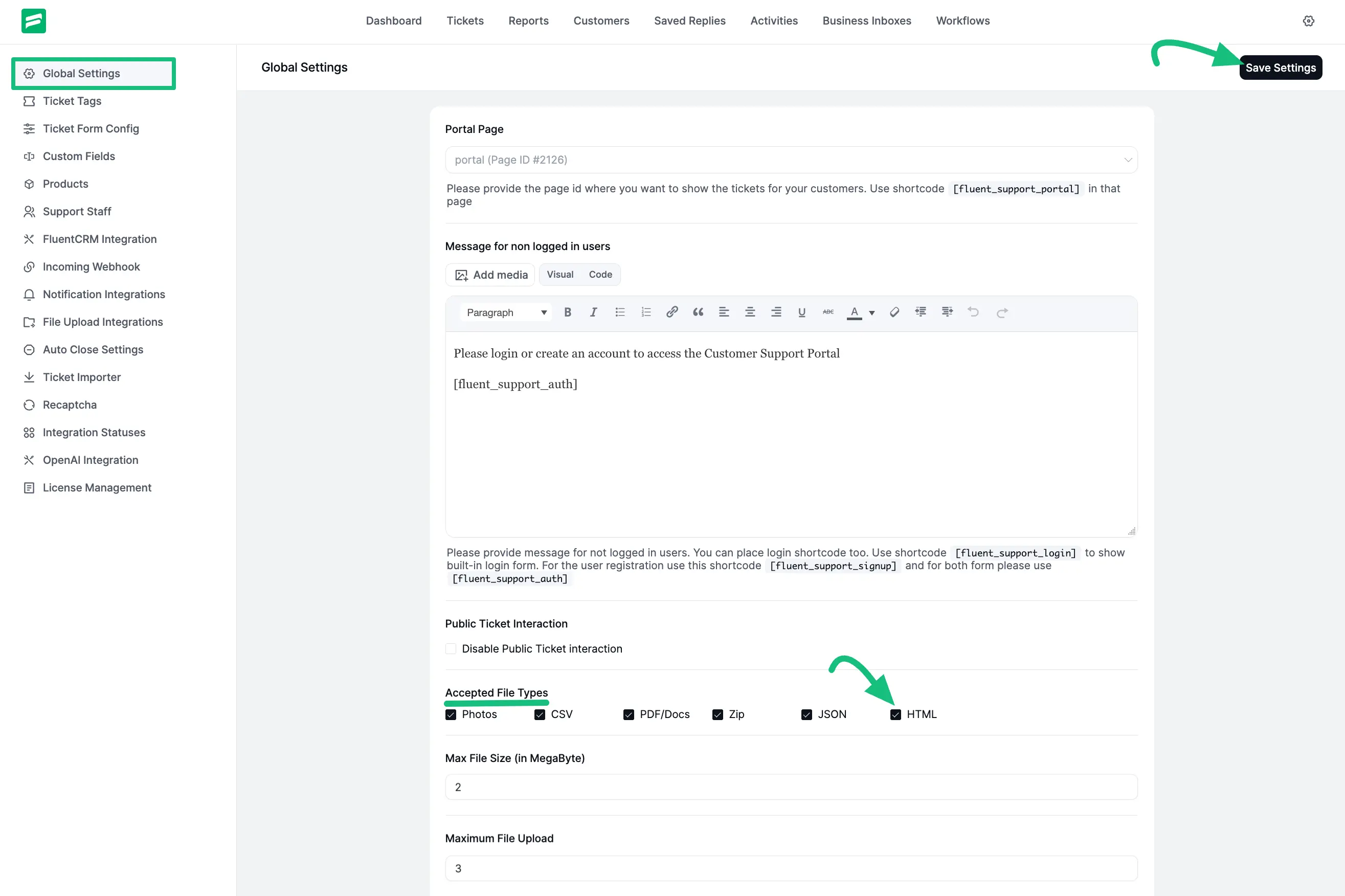
Also, if you want to make any changes in any of the existing file types, you can do it by using the “fluent_support/mime_groups” filter and the “add_filter” hook.
For example, I make changes to the Photos (Image) file type here by using the following Shortcode.
php
// Add a new MIME type to the existing MIME groups in Fluent Support
add_filter('fluent_support/mime_groups', function ($mimeTypes) {
    $mimeTypes['images']['mimes'][] = 'image/avif';
    return $mimeTypes;
});