Appearance
Split Reply in New Tickets
Fluent Support allows you to Split any reply into a new ticket i.e. if a customer raises a new issue in an ongoing ticket, you can separate the conversation and create a new ticket, and the separate tickets will appear on both the customer & support ends. This article will guide you through the whole process of doing it.
Split Reply In New Tickets
First, go to your Fluent Support and click on Tickets.
Now go to your desired ticket section from All Tickets , My Tickets, Unassigned, or Bookmarks.
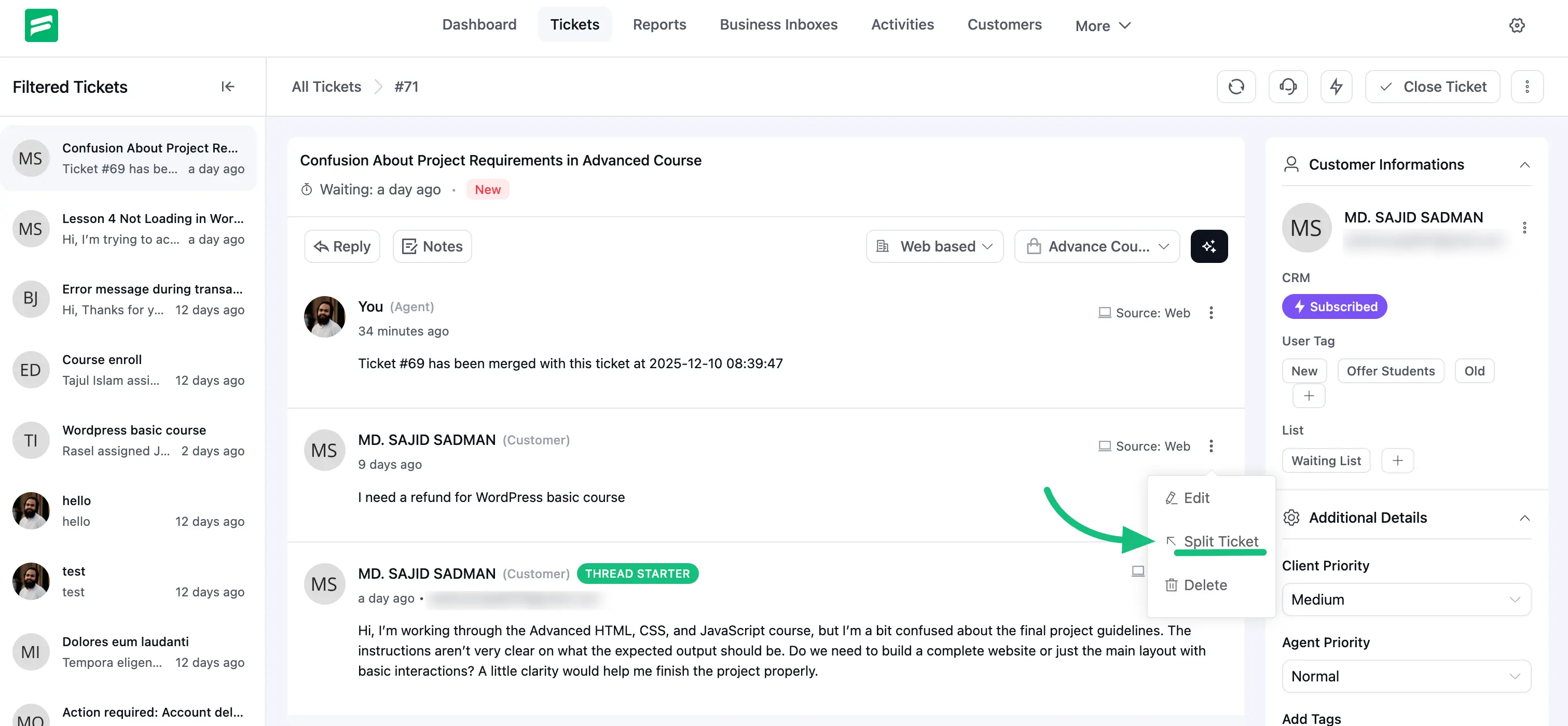
Open the specific ticket you want to split and hit the Three dot button on the right side of the ticket.
Now, click on the Split Ticket and a pop-up will appear.
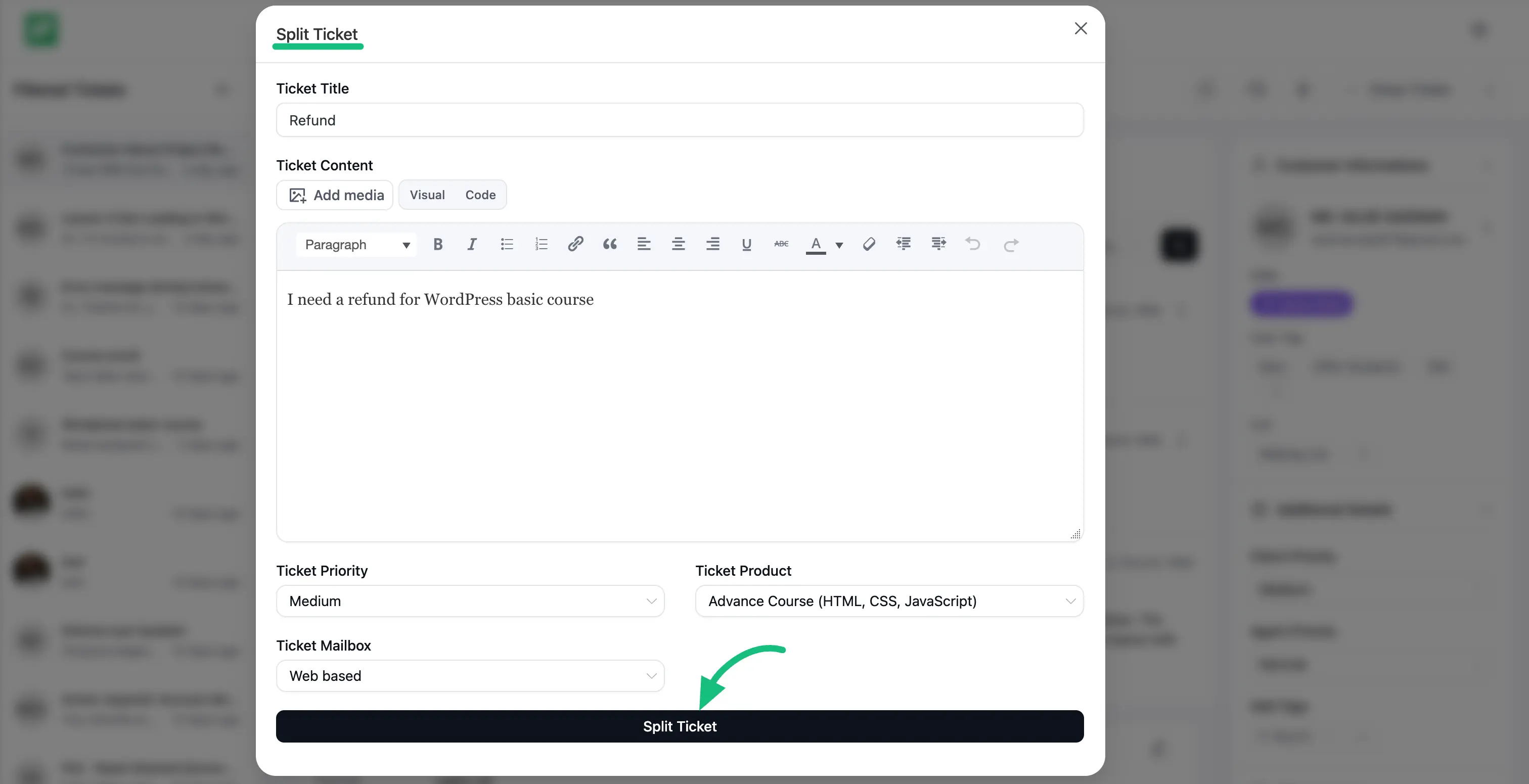
The popup will display all the options for splitting tickets e.g., Ticket Title , Ticket Content , Ticket Product , etc. And, once you are done, don’t forget to click the Split Ticket button.
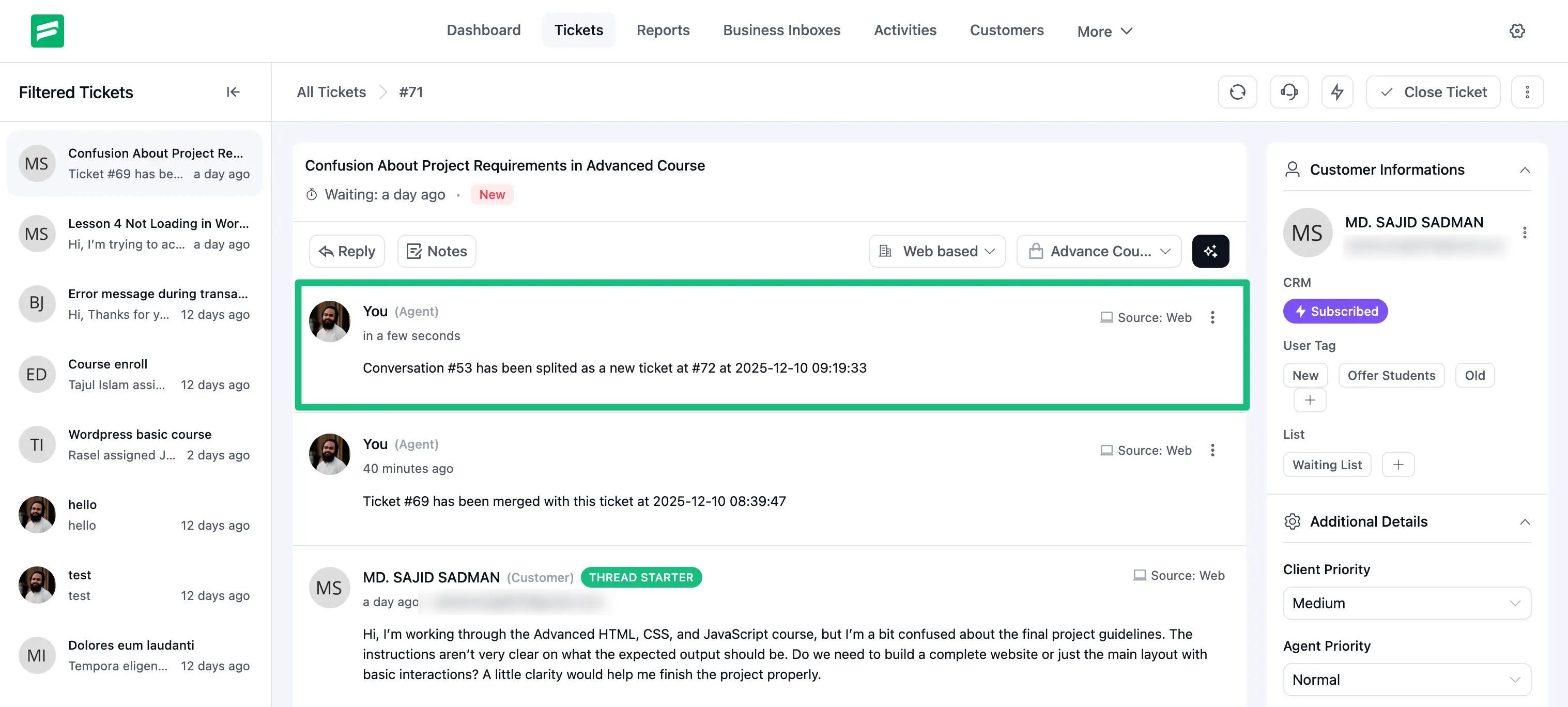
You can see the split tickets appeared separately on both the customer & support ends.